
[RKD] Blueprints
A planning table for everything you build in Minecraft: houses and castles from style rules, paths, bridges, rivers and canals, fences and walls, terrain and biomes, whole structures piece by piece, and creatures – planned on the real landscape in 3D, checked as a hologram, then built.
Overview
Beta – test server – Test build for the beta test server. Features and values may still change before the final release; please report bugs.
At its heart is the planning table: it shows the real surroundings as a 3D map – tilt, turn, zoom – with the plan on top in full detail. The bar at the top switches the mode: Buildings & shapes, Paths & water, Terraformer, Structures and Creatures. Settings are on the right, the chain of steps along the bottom (Source → Template → Parameters → Material → Output).
Buildings, paths, walls and terrain tools are rules: more than 100 included rules in many styles, each with its own parameters, plus a rule editor for your own. Whatever you plan appears on site as a hologram of real blocks; it is built from blocks in your inventory (free in creative mode) or piece by piece as a job that can be undone.
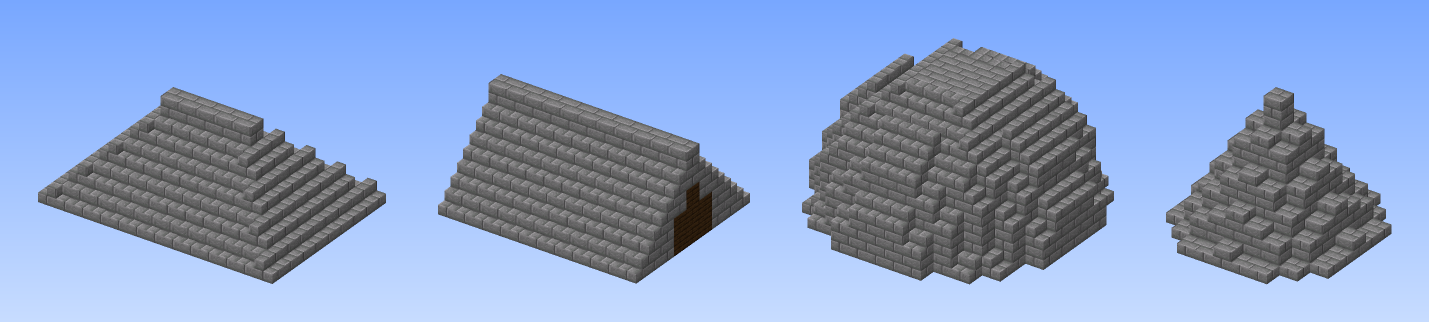
The basics from 2.0 are still there: the blueprint with its blueprint pages, the shape planner for domes, roofs and spiral stairs, and the measuring tool for capturing your own builds.
Buildings from rules
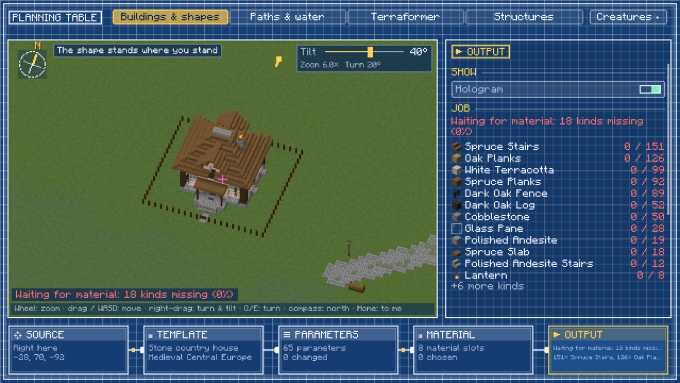
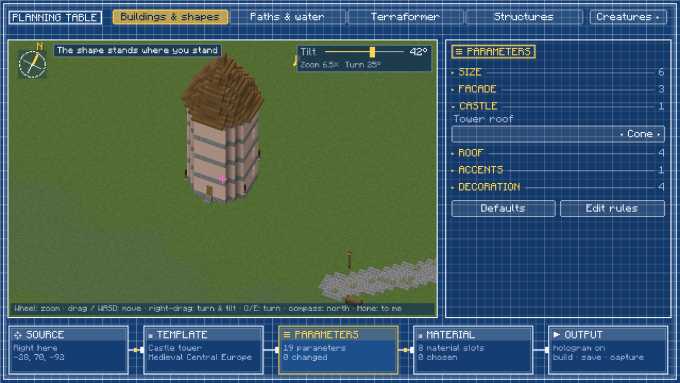
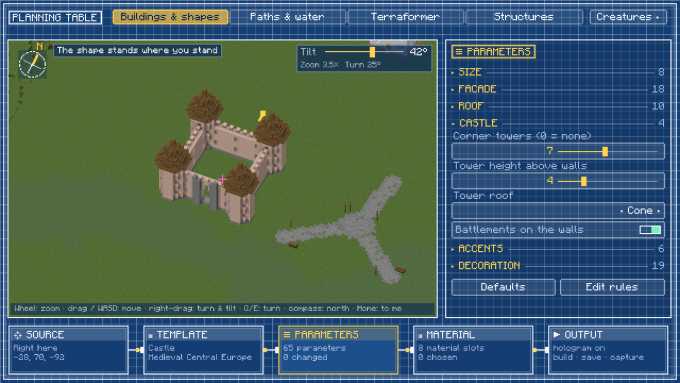
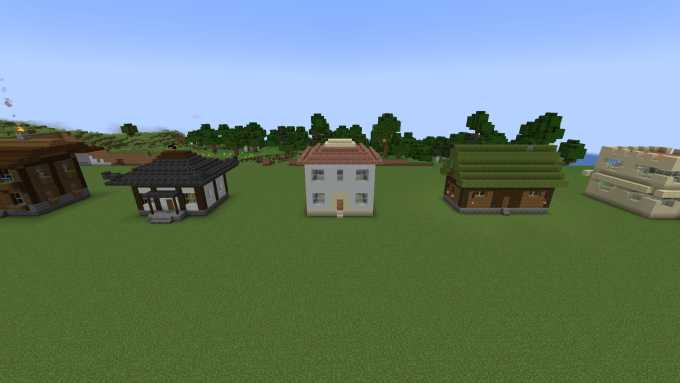
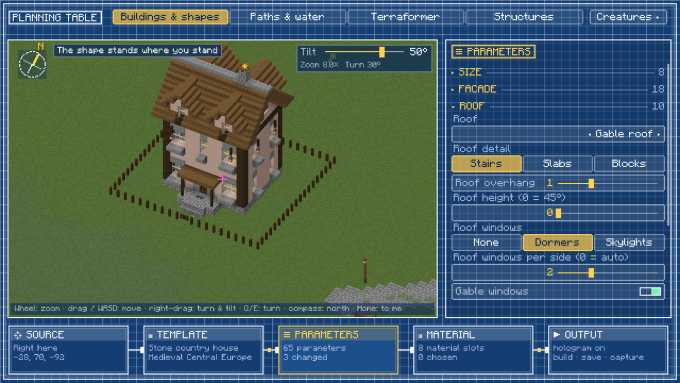
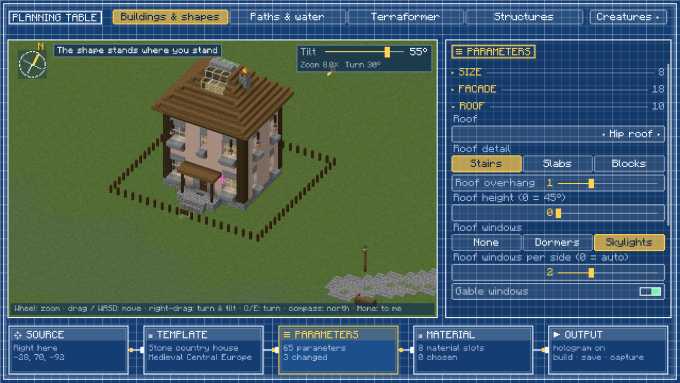
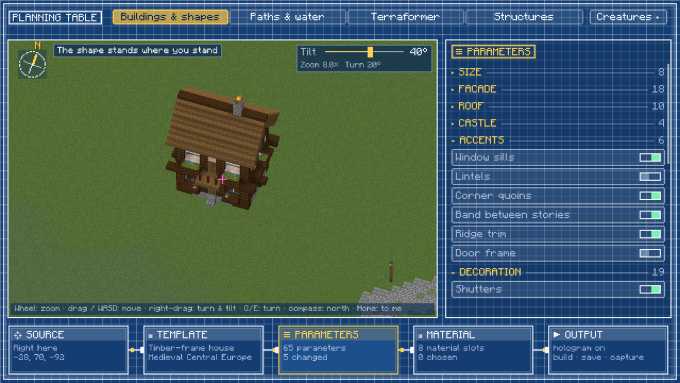
Timber-frame house, stone house, log cabin, castle tower, castle and many styles – chalet, Japanese house, Mediterranean villa, Viking longhouse, Moorish house … Every parameter shows up in the inspector and the 3D preview follows instantly. Dormers, skylights, accents, decoration and material slots.
Rule editor
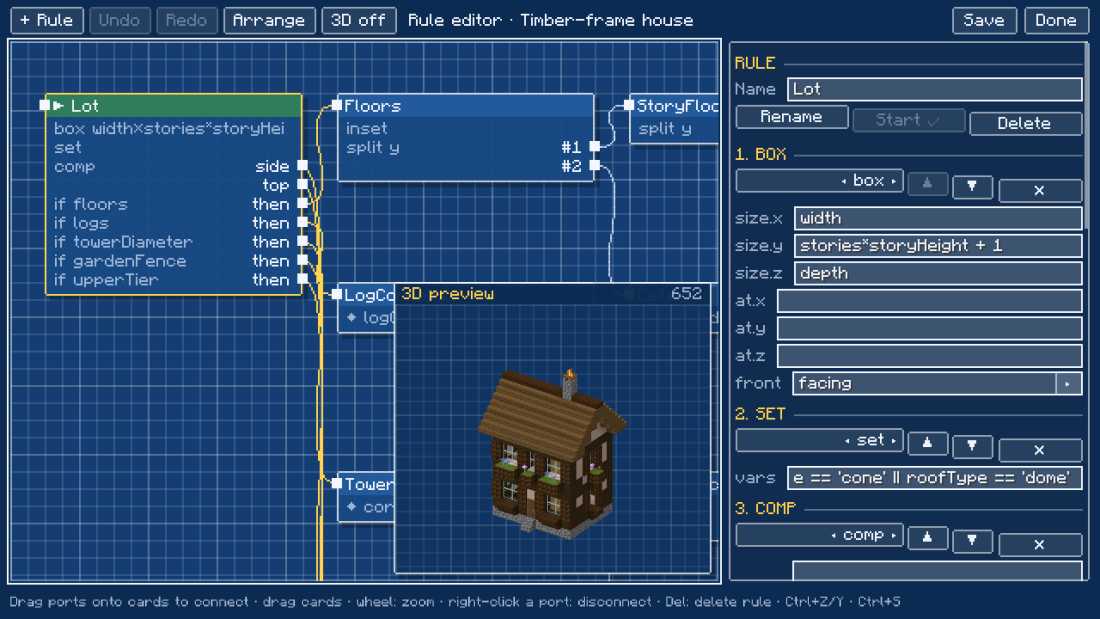
Rules as cards, references as wires, live 3D preview. Built-in rules are saved as your own copy.
Paths & water
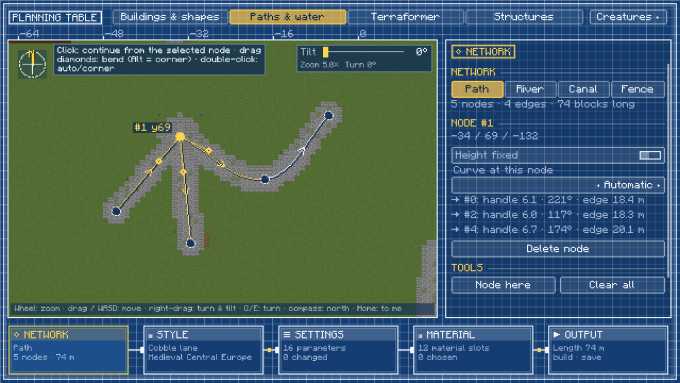
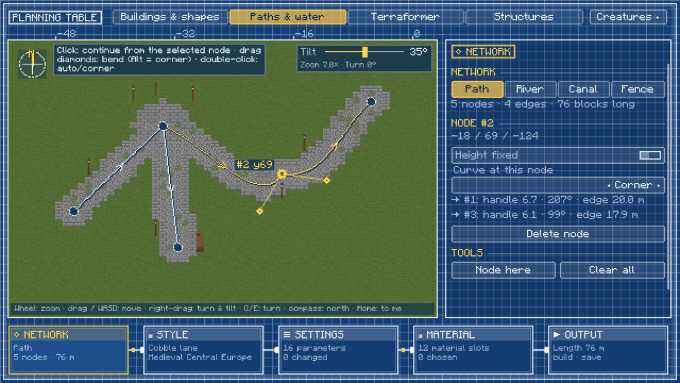
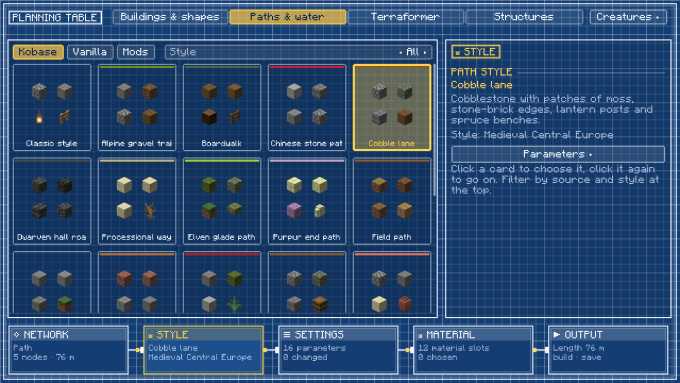
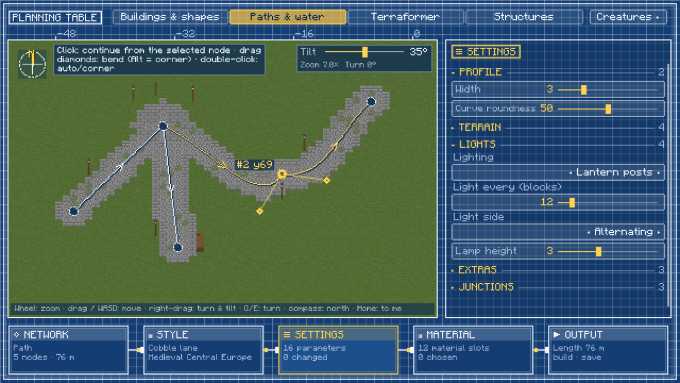
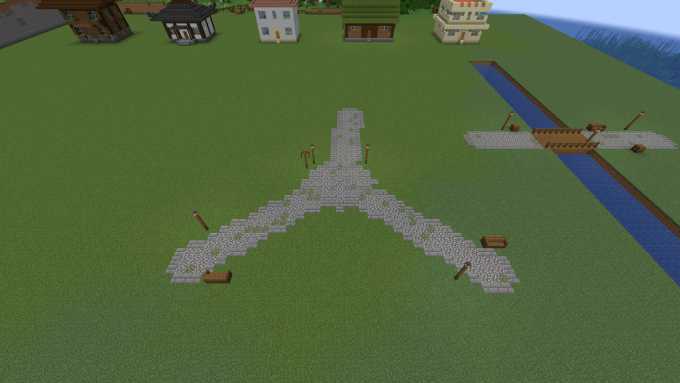
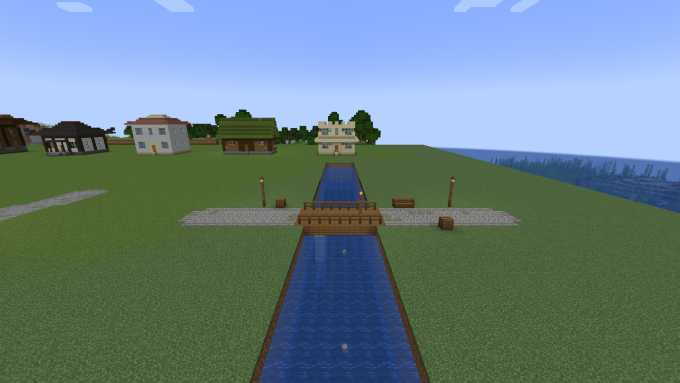
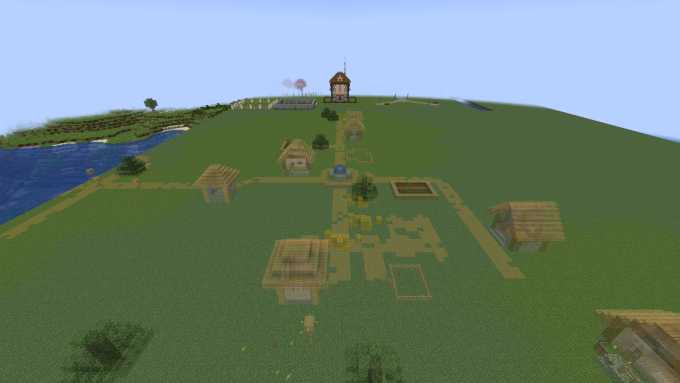
Path network with nodes and Bézier handles like in CAD: cobble lane, gravel path, grand avenue, boardwalk … Bridges, steps, plazas at junctions, lanterns and benches. Rivers with meanders and waterfalls, canals with towpath and locks.
Fences & walls
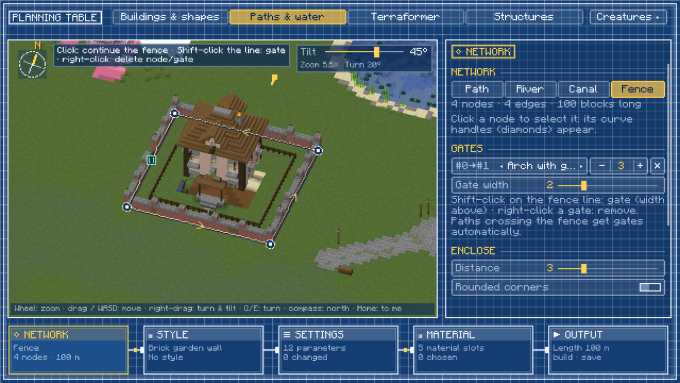
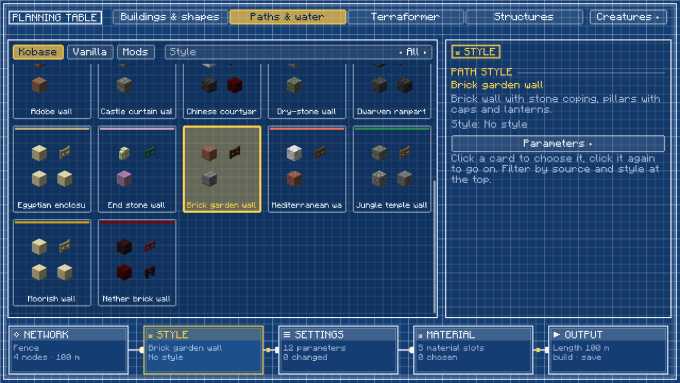
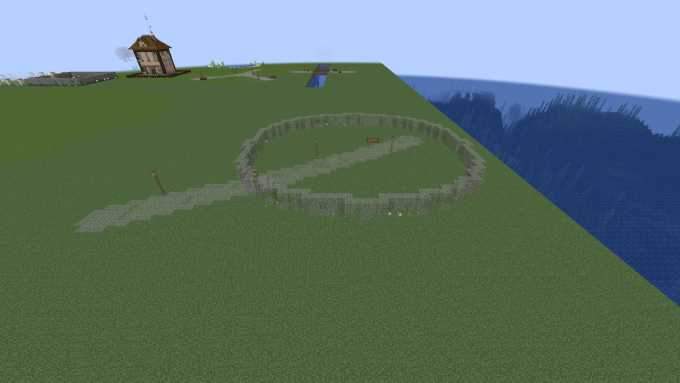
“Enclose” puts a fence or wall around the plan; gates with Shift-click. Wooden and picket fence, hedge, dry-stone wall, iron railing, palisade, castle wall with wall walk and towers, and more.
Terraformer
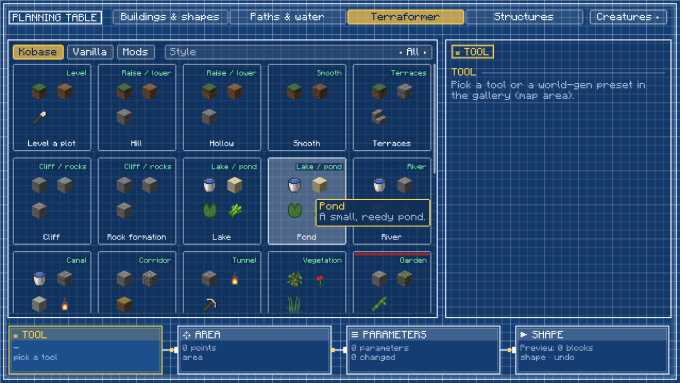
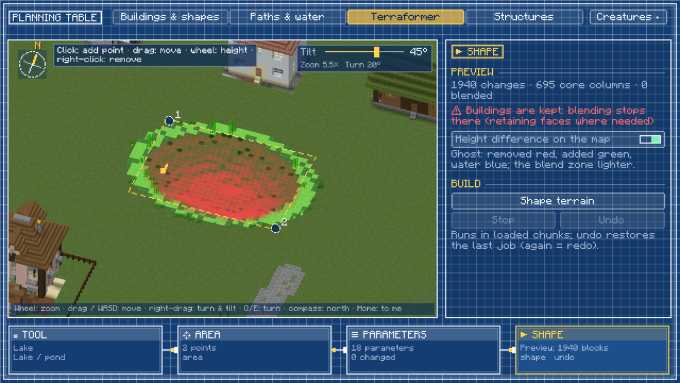
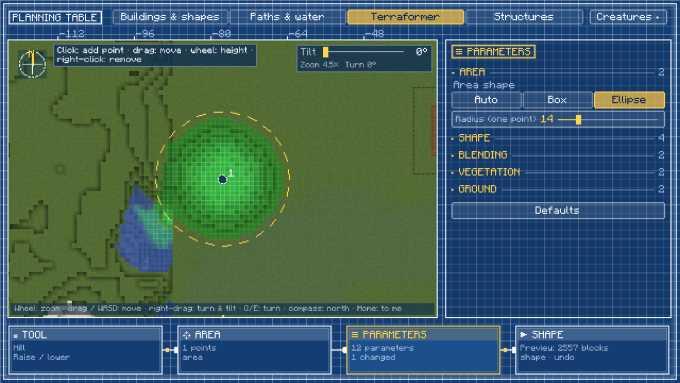
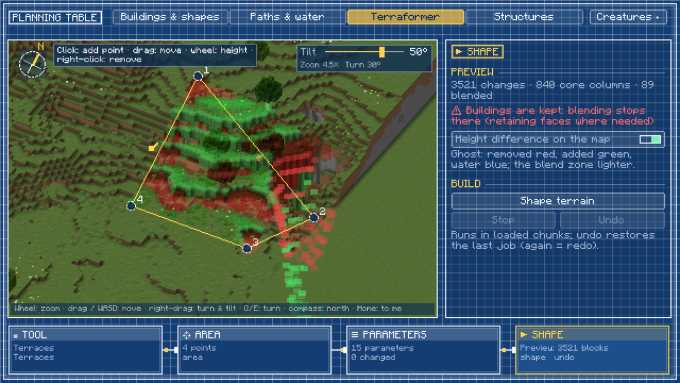
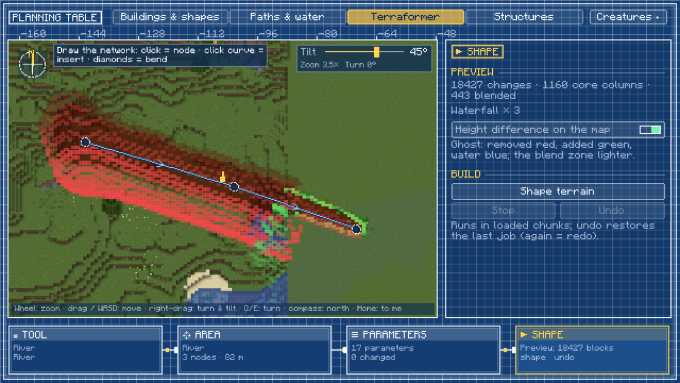
Level, hills, hollows, terraces, cliffs, lakes, rivers, canals, tunnels, vegetation – with a before/after preview on the map. Runs as a job with progress, pause and undo.
World generation & biomes
Scatter trees, plants, rocks and structures from vanilla and mods over an area as templates; the biome changer turns an area into another biome, optionally including ground and vegetation.
Creatures & traders
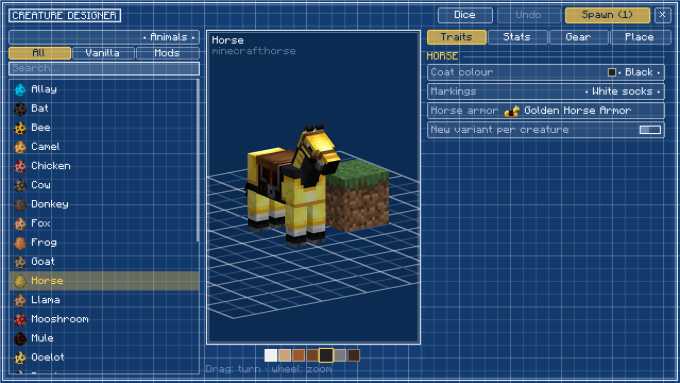
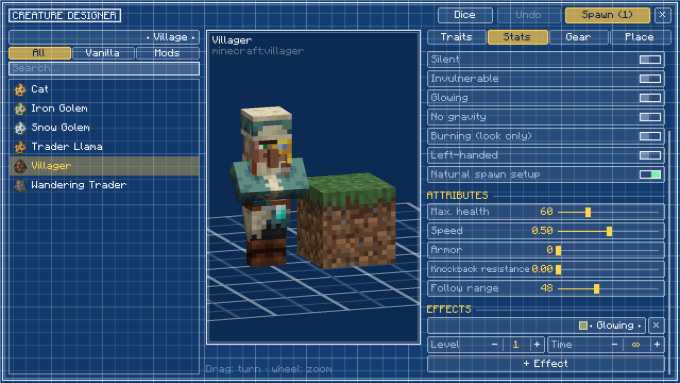
Plan any creature from vanilla and mods with traits, stats, equipment and pose, and spawn them singly, scattered or along paths. With Kobase Traders you can set up a trader right at that spot.
Holograms
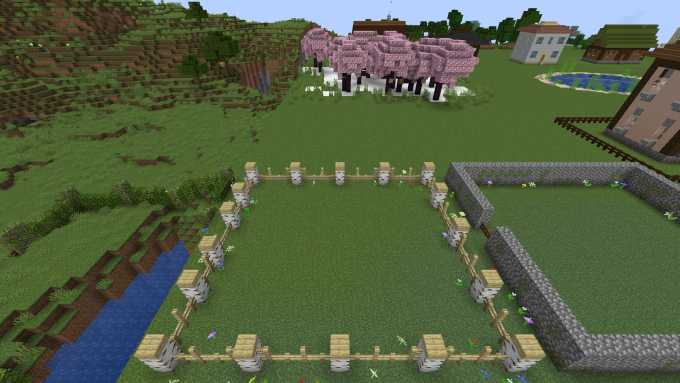
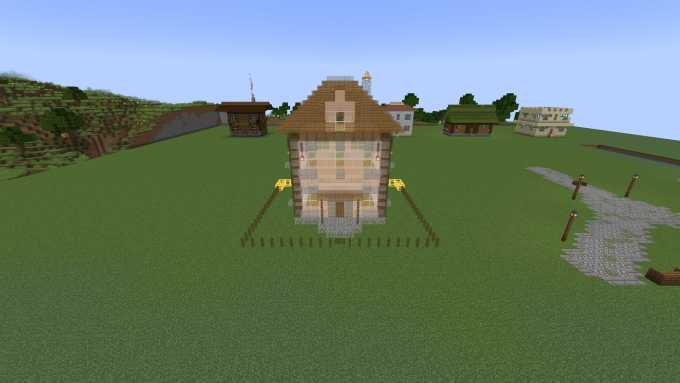
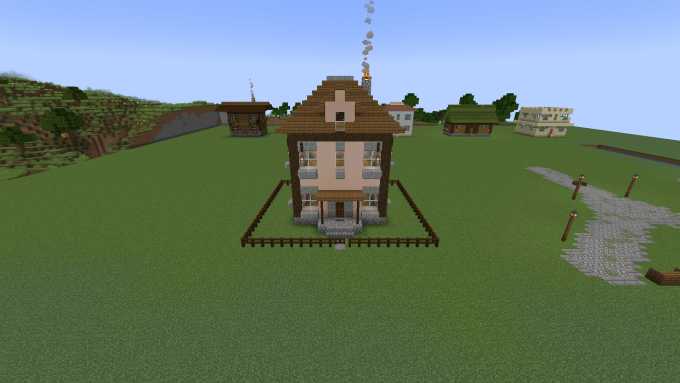
Buildings, structures, paths, fences and terrain changes appear translucent in the world before building – to walk around, or to build by hand.
Canals (new in 2.1.2)
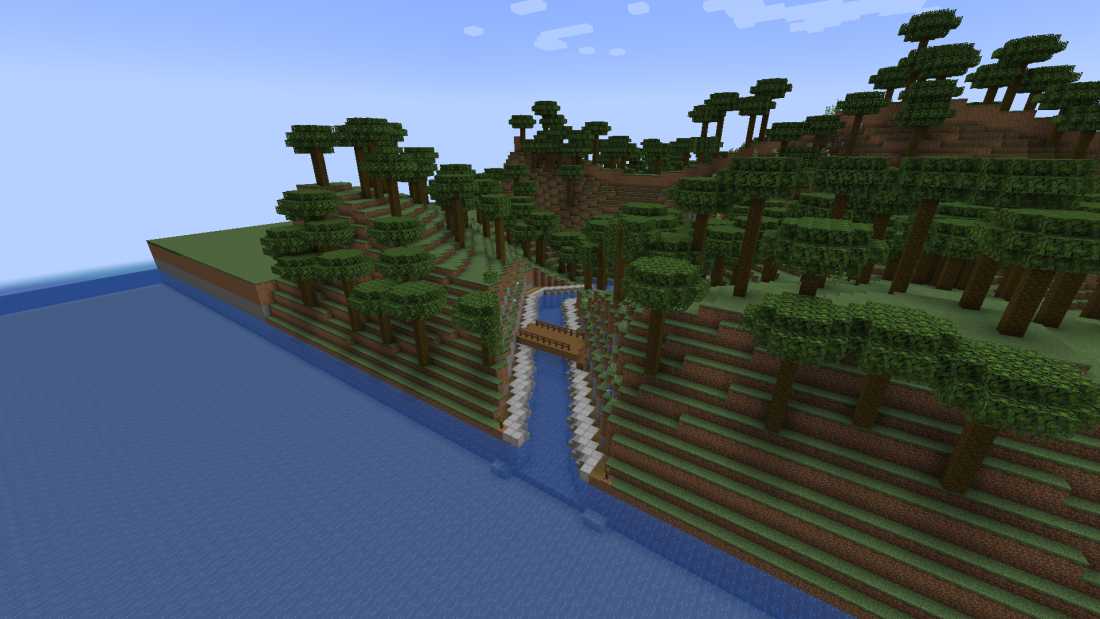
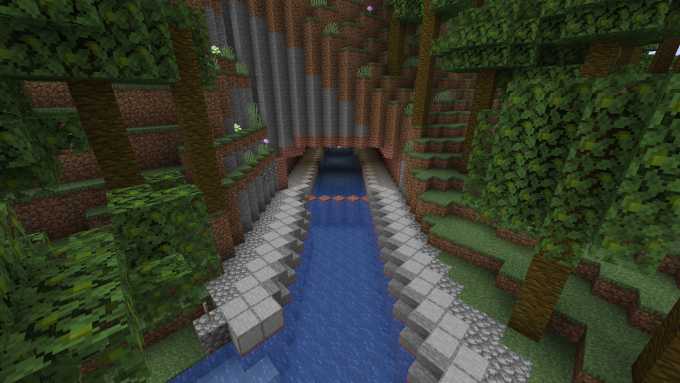
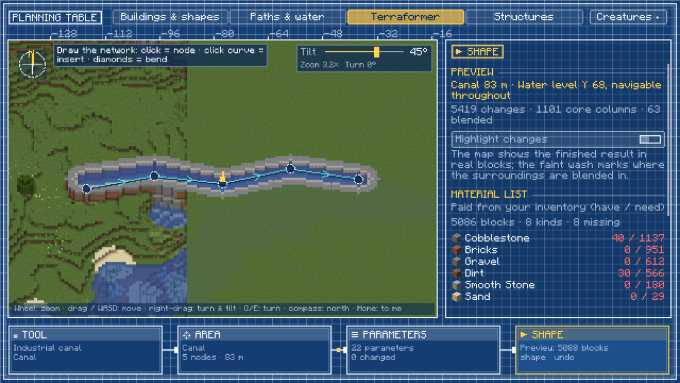
A constant water level and navigable throughout, tunnels through hills, clearance above the water (trees and overhangs are cleared), old builds in the way are removed. Locks as gates, boat lift or operated locks with controller, canal terminal and a remote with a map. Every surface – bed, walls, coping, towpath, railings, lamps – can be styled freely.
Material list & one button (new in 2.1.2)
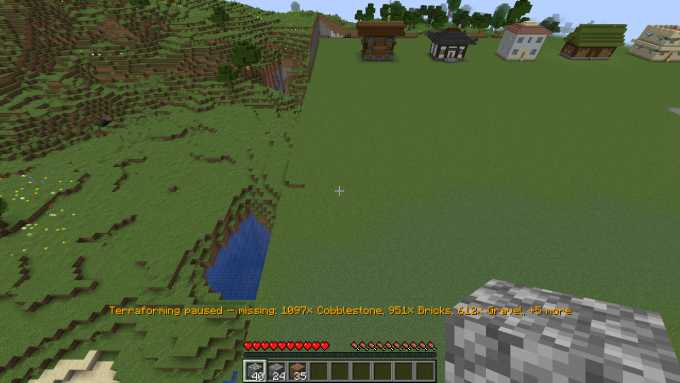
Before building, the table shows what is needed and what is missing from your inventory; one main button starts, resumes or applies changes. While a job runs, the table and the display above the hotbar show its progress – if material is missing, it pauses and names the missing blocks.
Reset all (new in 2.1.2)
One button empties a blueprint's whole plan – building with anchor and measuring points, paths, canals, fences, Terraformer, structure assembly and creatures, including holograms and material lists. Click twice to confirm; what's already built stays. “Clear mode” only empties the current mode.
Structures with thumbnails (new in 2.1.2)
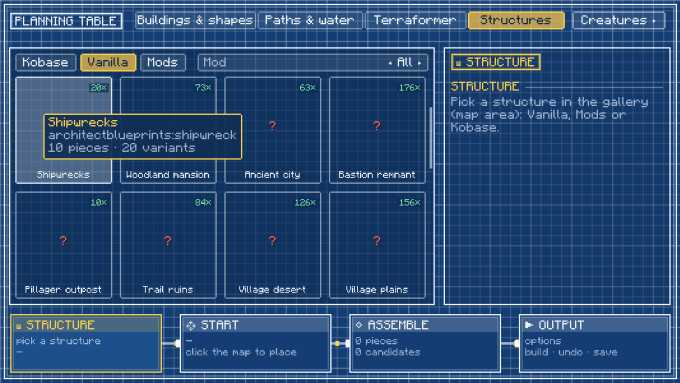
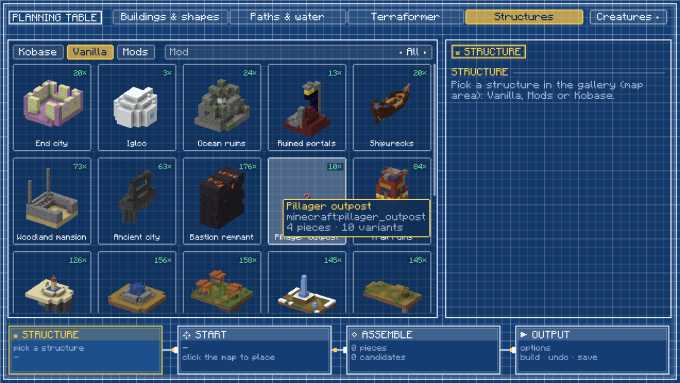
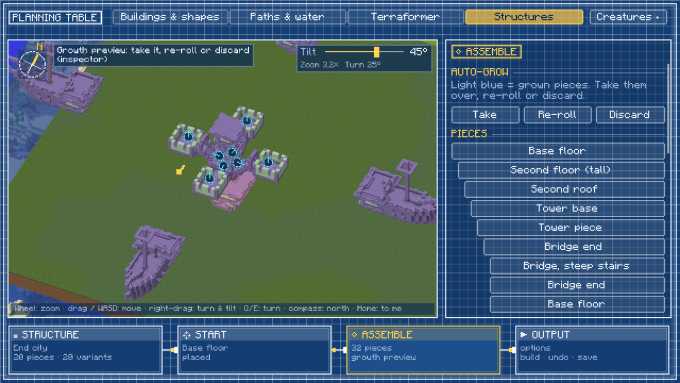
The gallery shows every piece as a 3D thumbnail, also on servers far from the world origin; end cities offer every vanilla transition (towers on roofs, the ship). Structures of other mods are recorded in the background only when opened.
Far map (new in 2.1.2)
Zoomed out, the map shows the terrain in a simplified form with biome colours from a cache – even far beyond the loaded chunks, without slowing the server.
Blueprint, shape planner, measuring tool
Blueprint pages with a movable preview, domes/spheres/roofs/spiral stairs, measure your own builds and save them as .nbt in the blueprints/ folder.
Guide
The guide goes through the tools one by one. All pictures are real screenshots from Architect Blueprints 2.1 (game language English).
New in 2.1.2: canals, locks & material list
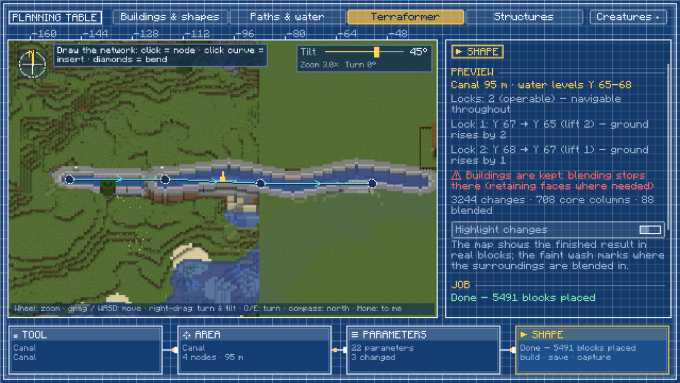
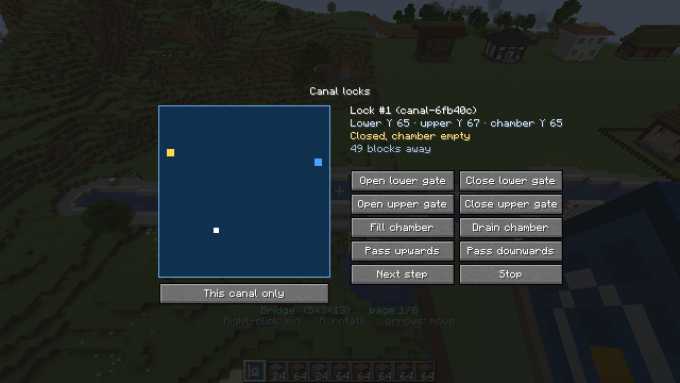
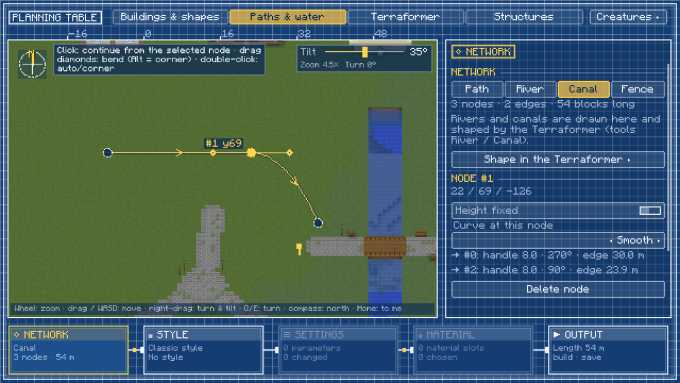
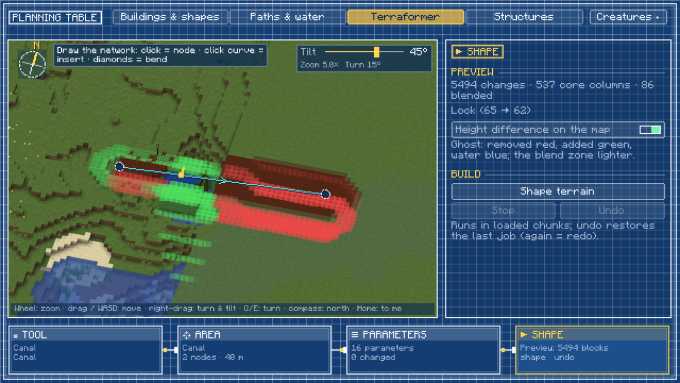
Draw the canal in the Terraformer (tool Canal) or under Paths & water as a network. The preview gives the water level and whether the canal is navigable throughout; where the ground rises, the canal adds locks. Operated locks fill and drain their chamber and open the gates at the push of a button – at the lock controller, the canal terminal or with the remote. For every job the table shows the material list (available / needed) and the progress.
Planning table & modes
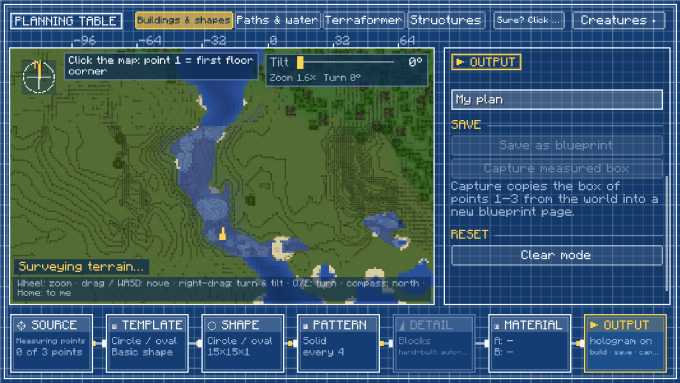
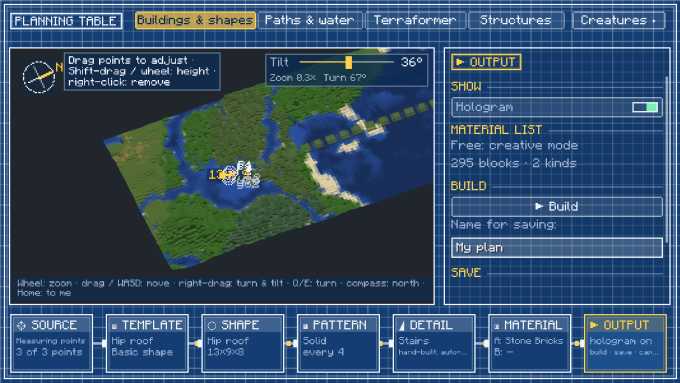
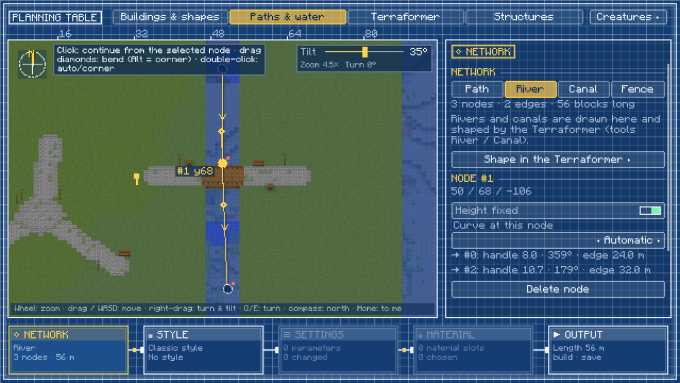
Open the planning table with the blueprint (page Shape planner, right-click). The map shows the real world; the mode bar at the top switches between the tools, and the chain of nodes at the bottom leads step by step to the result.
Buildings & styles
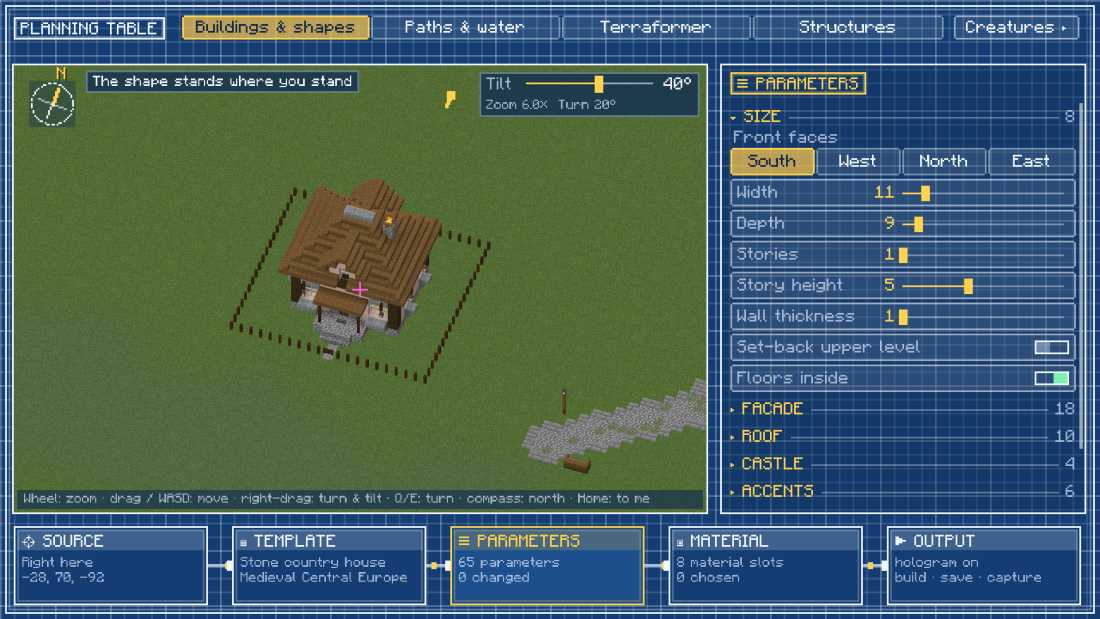
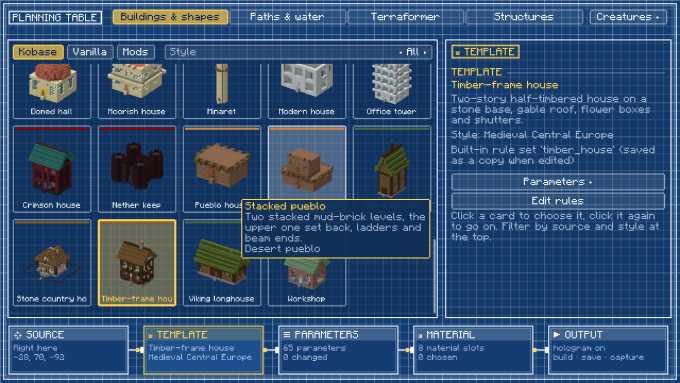
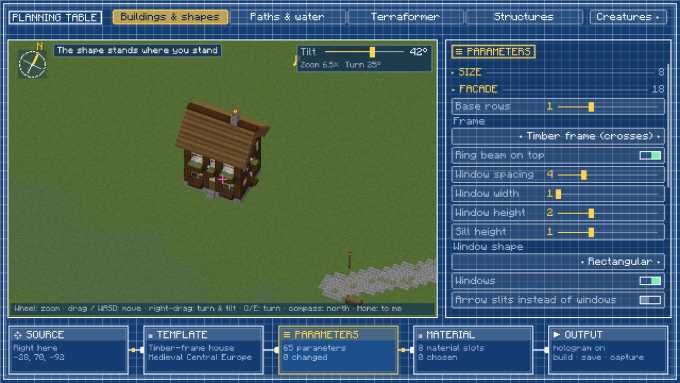
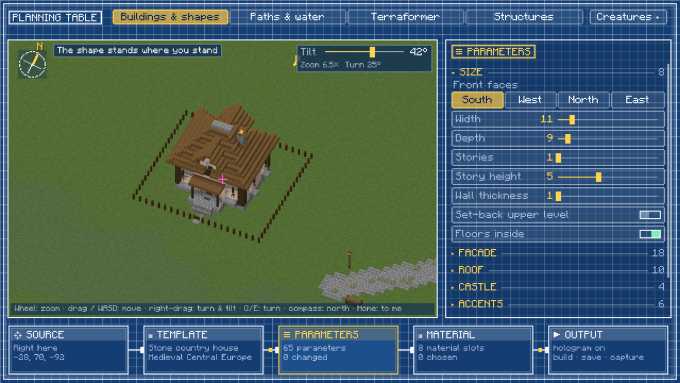
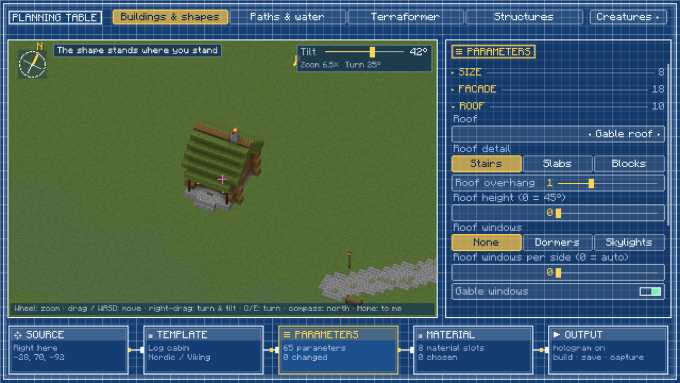
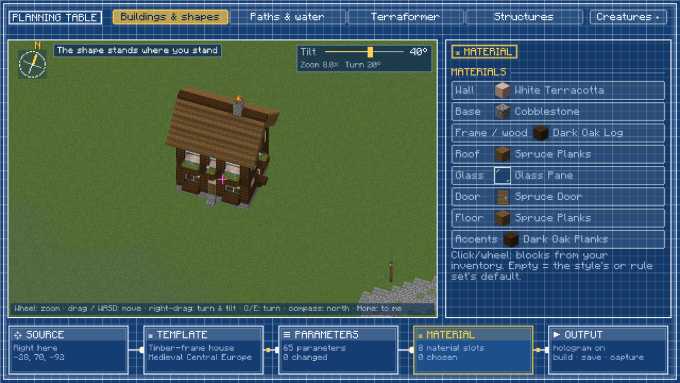
In the Buildings & shapes mode you pick a template from the gallery – a basic shape or a building rule – and adjust it in the inspector. Styles bring their own palettes; material slots replace single blocks with blocks from your inventory.
Rule editor
All buildings, paths, walls and terrain tools are rules. The editor shows how a rule is put together, and you can change it or create new ones.
Paths, rivers & canals
In the Paths & water mode you draw a network of nodes and curves. The type (path, river, canal, fence) and the path rule decide what gets built; bridges, steps and plazas appear automatically.
Fences & walls
Fences and walls use the same network editor, as a closed line around a plot or drawn freely.
Terraformer
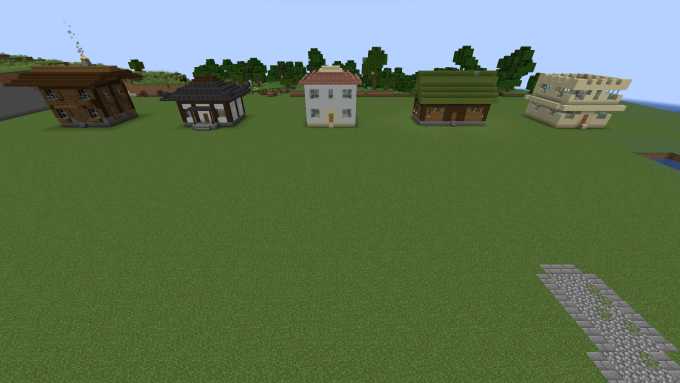
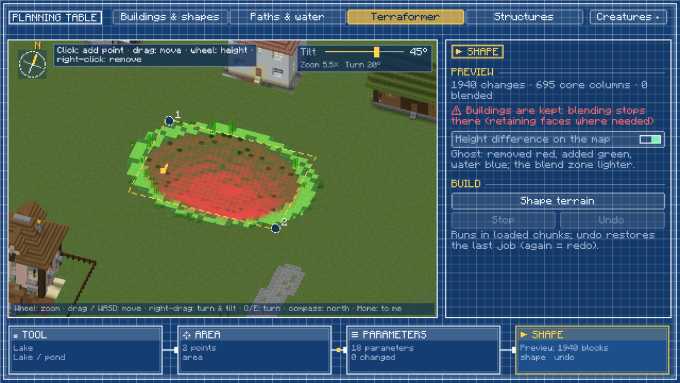
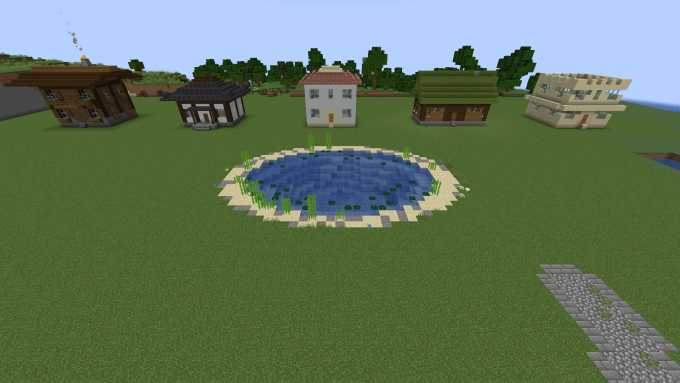
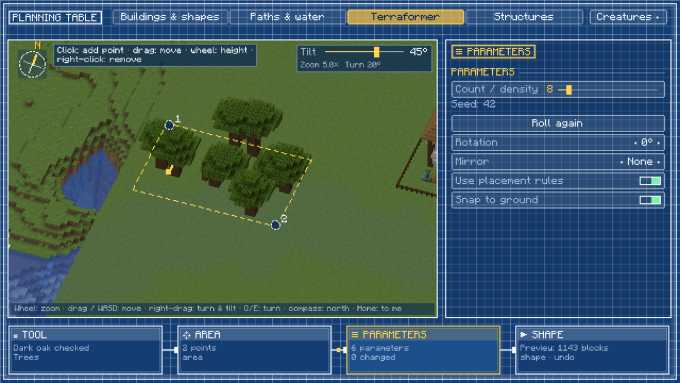
The Terraformer shapes terrain: pick a tool, set the area or line with nodes, adjust the parameters. The map shows beforehand what will change; starting it creates a job that works piece by piece and can be undone.
World generation & biomes
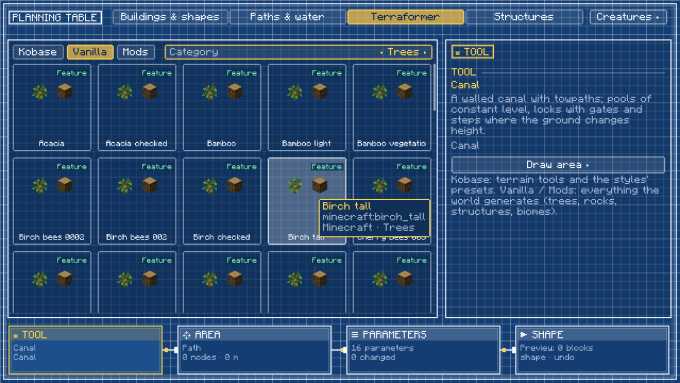
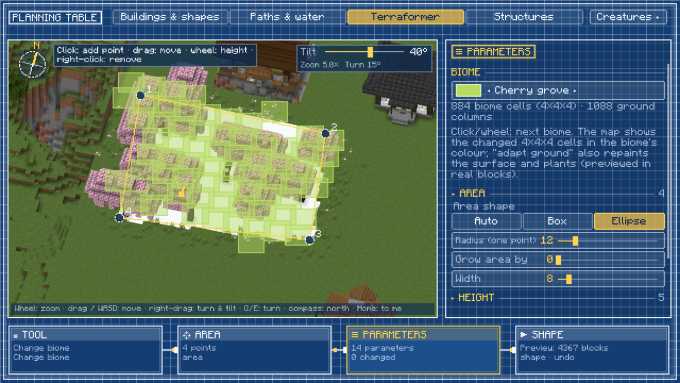
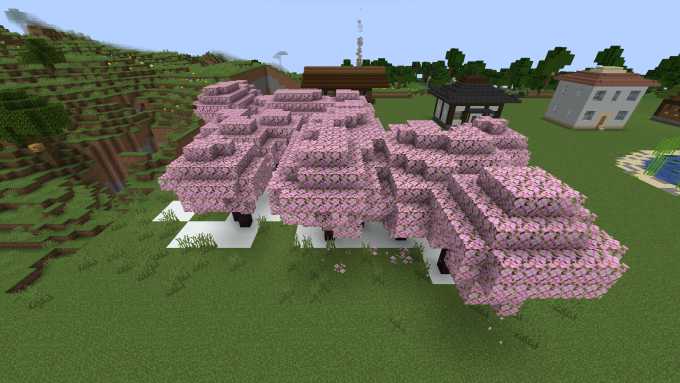
Under Vanilla and Mods the building blocks of world generation are ready as templates. The biome changer sets another biome on an area.
Structures
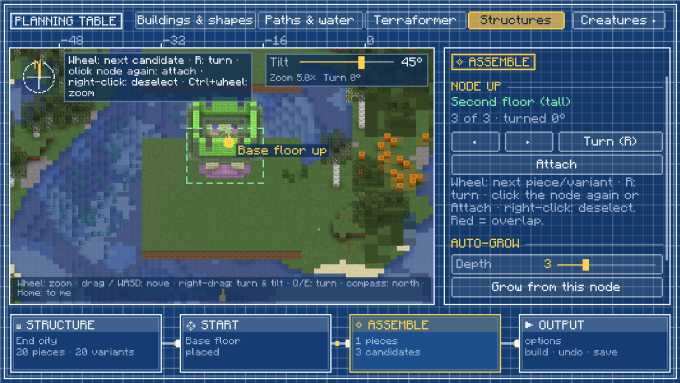
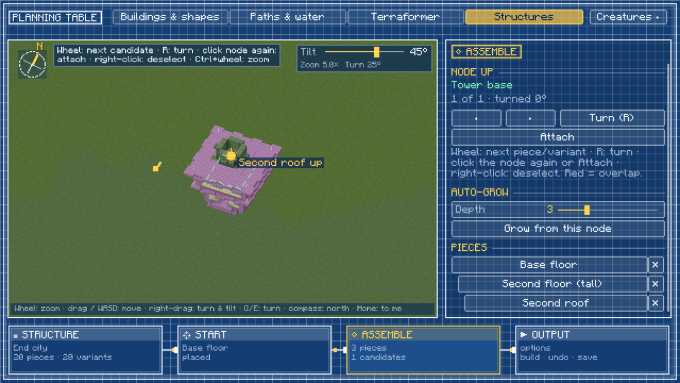
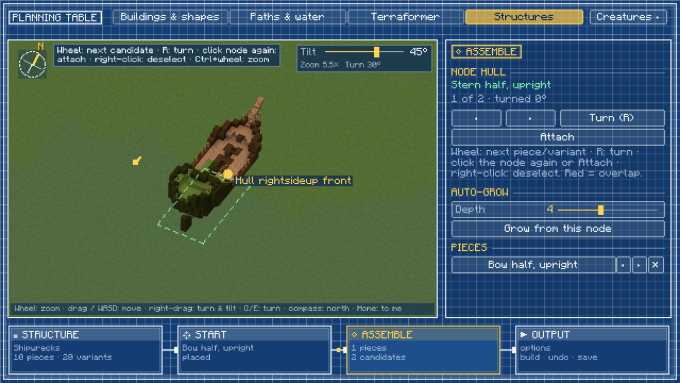
In the Structures mode you assemble structures from their real pieces – by hand at the connection points, or automatically like world generation does.
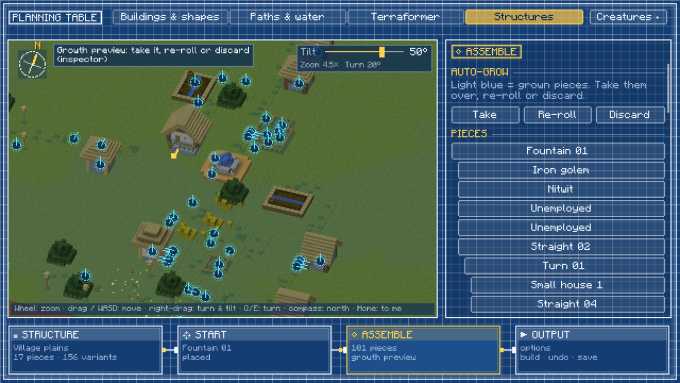
Creatures & traders
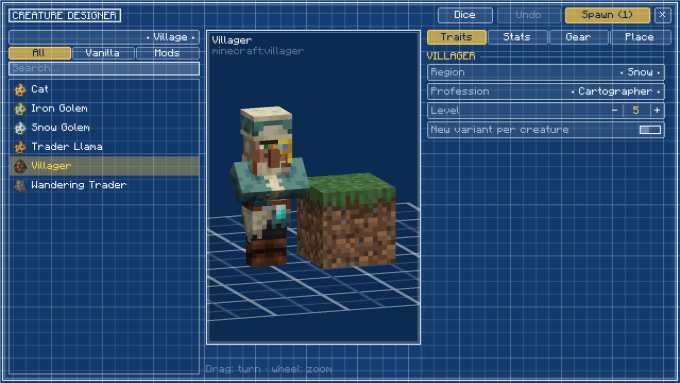
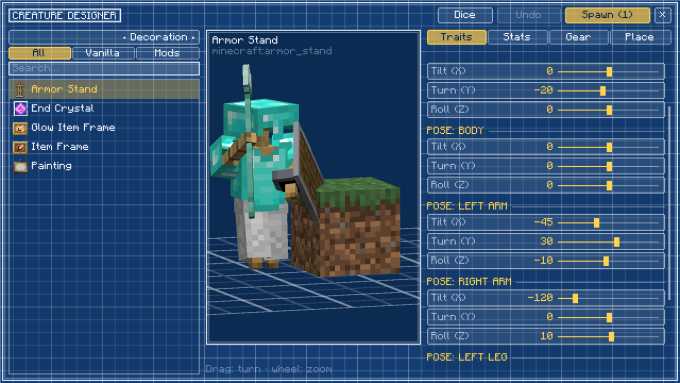
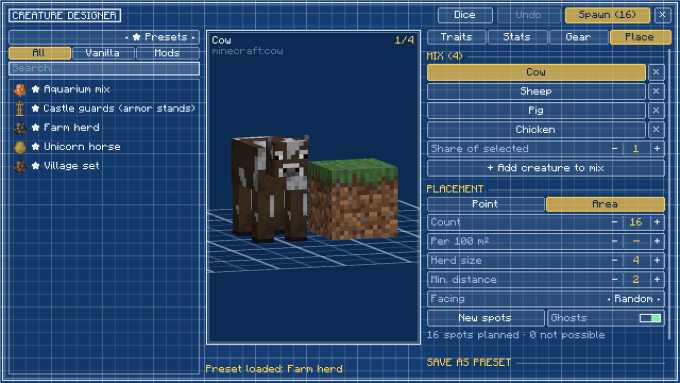
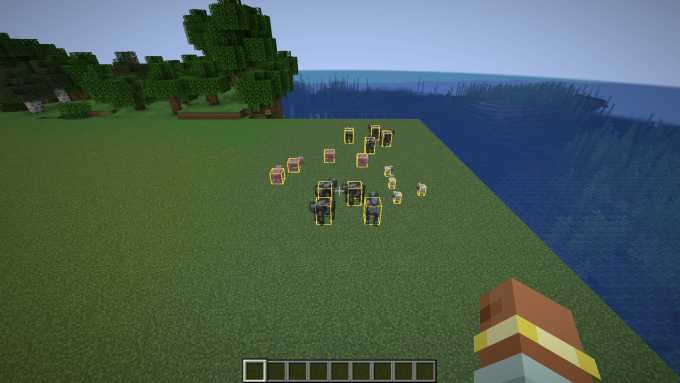
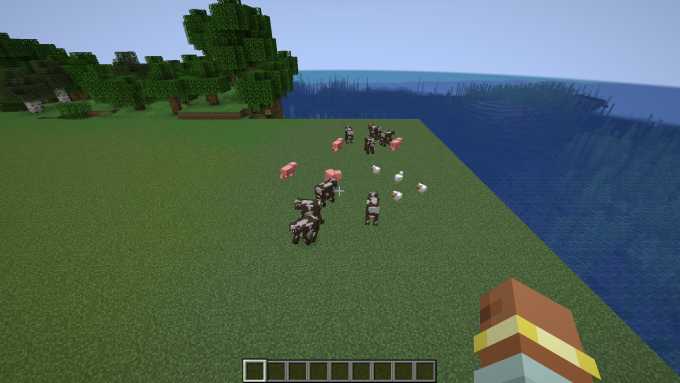
The creature designer plans what spawns where – with a preview of the real creature, placement on the map and ghosts in the world. If Kobase Traders is installed, the Place tab has a Trader section: “Create trader here…” opens the trader editor for the first planned spot.
Holograms & building
As long as you hold the blueprint, the world shows every plan as a hologram of real blocks. Building starts from the table's output step.
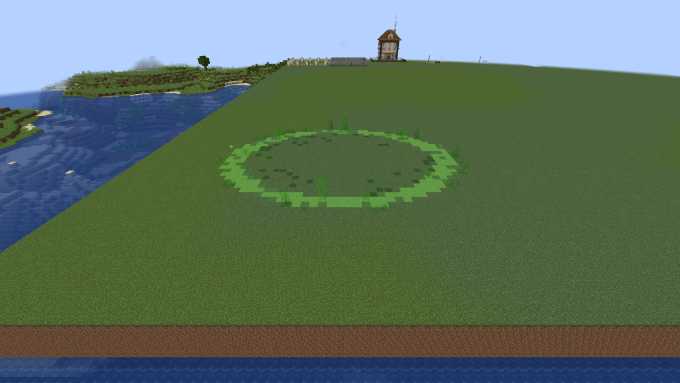
Blueprint, shape planner & measuring tool (from 2.0)
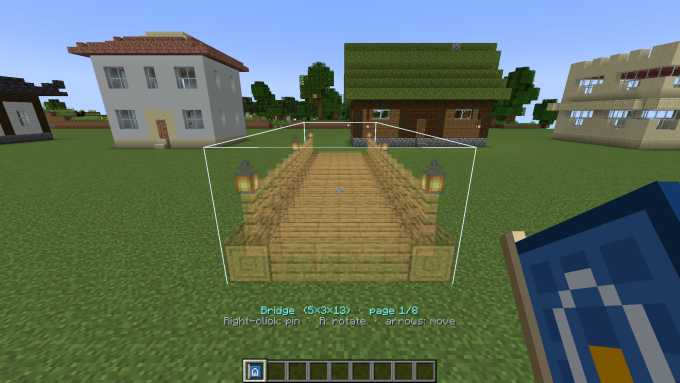
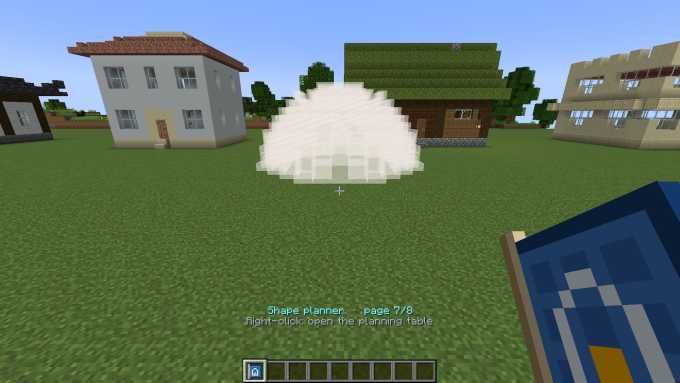
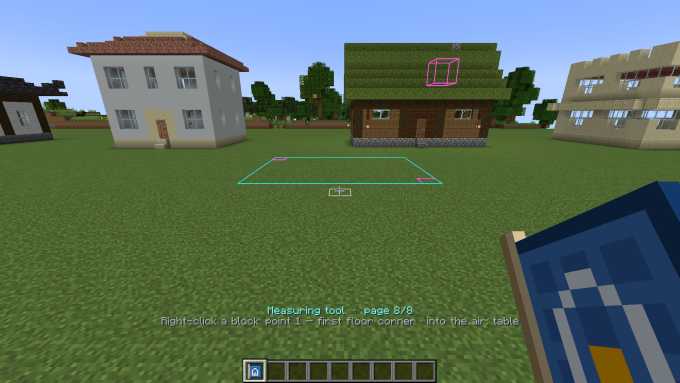
Use Shift + mouse wheel to flip through the blueprint's pages: blueprints, shape planner and measuring tool.
Controls
| Input | Effect |
|---|---|
| Shift + mouse wheel (blueprint in hand) | change page: blueprints → shape planner → measuring tool |
| Blueprint page: right-click | pin the preview; right-click again: build |
| Table, output: Reset all (click twice) · Clear mode | empty the whole plan · empty only the current mode (built blocks stay) |
| Blueprint page: Shift + right-click | unpin the preview |
| Blueprint page: R · ↑↓←→ · Page Up/Page Down | rotate · move (relative to where you look) · up/down |
| Shape planner page: right-click | open the planning table |
| Measuring tool page: right-click on blocks | measuring point 1, 2, 3 – then the table opens at the “Output” step |
| Measuring tool page: right-click into the air / Shift + right-click | open the table / clear the points |
| Table: mouse wheel | zoom (towards the mouse pointer) |
| Table: drag or WASD | move the map |
| Table: right-drag | sideways: turn · up/down: tilt |
| Table: Q / E · click the compass · Home | turn · north up · back to you |
| Network (paths, water, fences, Terraformer): click | set a node; clicking the curve inserts one |
| Network: drag · Shift-drag or mouse wheel · right-click · Ctrl-click | move node · change height · delete · connect |
| Network: drag Bézier handles (diamonds) · Alt-drag · double-click | bend the curve · break symmetry · switch between automatic and corner |
| Fence/wall: Shift-click on the line | place a gate (gate, double gate, arch, portcullis, opening) |
| Structures: click a connection point · mouse wheel · R · click again | show fitting pieces · change piece/variant · rotate · attach |
| Creature preview: drag · mouse wheel · double-click | turn · zoom · reset |
| Lists and inspector: mouse wheel · Shift + mouse wheel over a control | scroll · change the value |
The blueprint preview keys can be changed under Options → Controls → Architect Blueprints.
Blueprints
The blueprint's starter set, rendered straight from the included blueprint files. The material list shows what you need in your inventory to build it (doors, beds and tall plants count once).
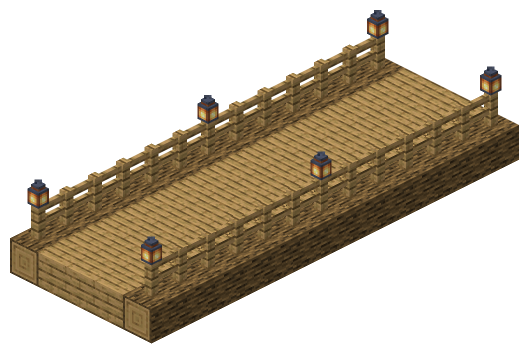
Materials: 39× Oak Planks, 26× Oak Log, 26× Oak Fence, 6× LanternIsometric view · rendered from the blueprint file (.nbt)
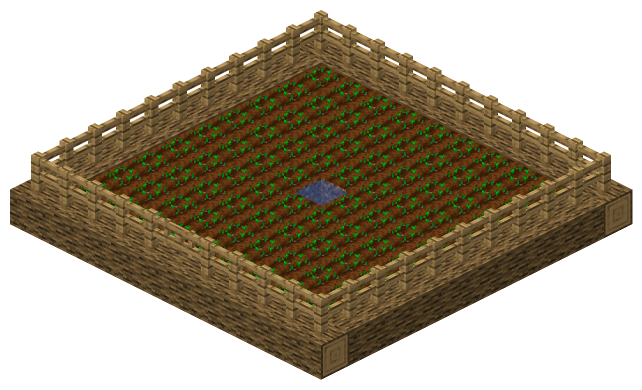
Materials: 80× Farmland, 80× Wheat, 40× Oak Log, 39× Oak Fence, 1× Oak Fence GateIsometric view · rendered from the blueprint file (.nbt)
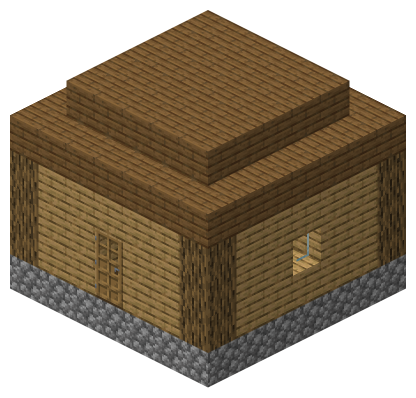
Materials: 74× Spruce Planks, 55× Oak Planks, 49× Cobblestone, 12× Oak Log, 3× Glass Pane, 1× Oak Door, 1× Crafting Table, 1× Chest, 1× Wall TorchIsometric view · rendered from the blueprint file (.nbt)
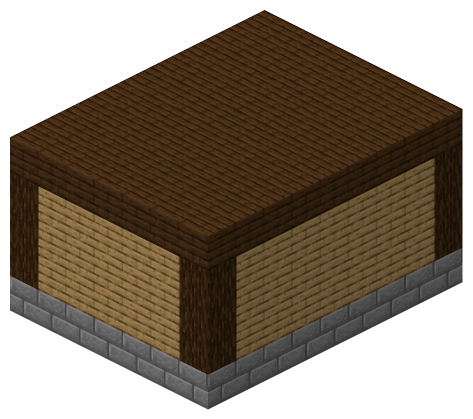
Materials: 70× Oak Planks, 63× Stone Bricks, 63× Dark Oak Planks, 12× Spruce Log, 7× Chest, 7× Barrel, 2× Wall Torch, 1× Spruce DoorIsometric view · rendered from the blueprint file (.nbt)
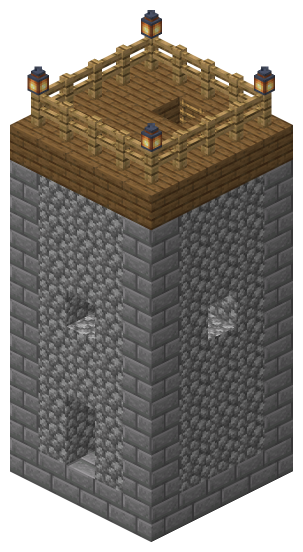
Materials: 90× Cobblestone, 57× Stone Bricks, 24× Spruce Planks, 16× Oak Fence, 9× Ladder, 4× LanternIsometric view · rendered from the blueprint file (.nbt)
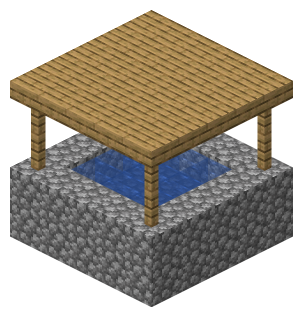
Materials: 41× Cobblestone, 25× Oak Slab, 8× Oak FenceIsometric view · rendered from the blueprint file (.nbt)
Items & Recipes
holds blueprints, shape planner and measuring tool as pages and opens the planning table

Canal terminal: all locks of the nearest canal

Lock controller: right-click = panel, redstone pulse = next step

Lock remote: map of all locks in the dimension
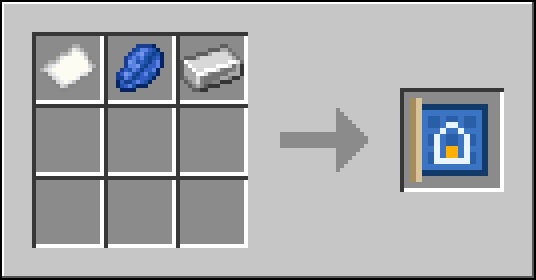
Recipes
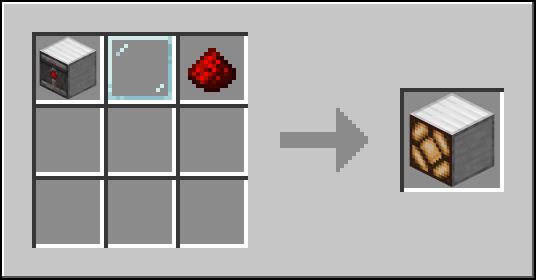
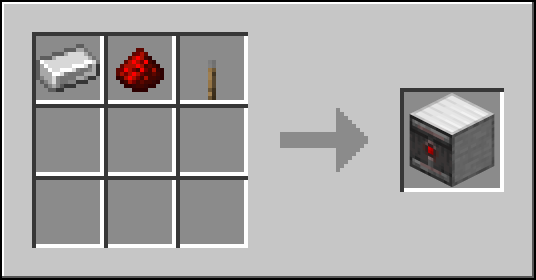
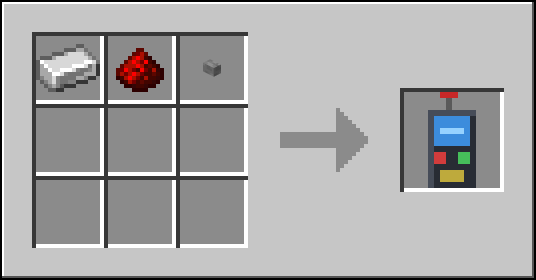
Settings
Every option can be changed in game: Mods → Architect Blueprints → Config (via Kobase Core). Server options apply to all players; client options are set by each player – options marked lockable can be fixed by the server for everyone.
| Option | Meaning | Default |
|---|---|---|
Placement costplacement.costSERVER | Blocks from inventory: placing uses blocks from your inventory (free in creative). Free: placing costs nothing. | Blocks from inventory Blocks from inventory / Free |
Max. placing distanceplacement.maxDistanceSERVER | How far away from the player a blueprint may be placed. | 64 range 8 – 256 |
Max. blocks per placementplacement.maxBlocksSERVER | Most blocks placed by one confirmation. | 8192 range 64 – 65536 |
Allow capturingcapture.enabledSERVER | Whether players may capture new blueprints with the measuring tool. | on |
Max. capture sizecapture.maxSizeSERVER | Largest width, height and depth a captured blueprint may have. | 64 range 4 – 128 |
Allow building plansshapes.buildEnabledSERVER | Whether the Build button of the planning table works at all. | on |
Build plans for freeshapes.buildFreeSERVER | Build planned shapes without using up blocks from the inventory (like in creative mode). | off |
Max. blocks per buildshapes.maxBlocksSERVER | Most blocks placed by one click on Build. | 4096 range 64 – 65536 |
Max. building distanceshapes.maxDistanceSERVER | How far away from the plan's center a player may be to build it. | 128 range 16 – 512 |
Manual orientingshapes.manualOrientationSERVER | Stairs and slabs players place themselves on planned positions are turned to fit the plan (if the plan allows it). | on |
Max. wall size for roofsshapes.detectionMaxSizeSERVER | Largest wall (blocks per side) a roof can be fitted to. | 128 range 8 – 128 |
Allow building pathspaths.enabledSERVER | Whether players may build paths with the path planner. | on |
Max. path lengthpaths.maxLengthSERVER | Longest path network (total length in blocks) that may be built. | 4096 range 16 – 16384 |
Path blocks per tickpaths.blocksPerTickSERVER | Blocks a path under construction gets per server tick. | 64 range 1 – 2048 |
Allow the Terraformerterraform.enabledSERVER | Whether players may reshape terrain with the Terraformer. | on |
Terraforming costterraform.costSERVER | INVENTORY: filling uses dirt/stone/sand from the inventory, dug blocks go to the inventory (free in creative). FREE: costs nothing. | Blocks from inventory Blocks from inventory / Free |
Keep dug blocksterraform.keepDugSERVER | Dug blocks are given to the player (overflow is dropped at the player). Off: dug blocks are voided. | on |
Max. areaterraform.maxAreaSERVER | Most terrain columns (incl. blend zone) one Terraformer job may cover. | 65536 range 256 – 1048576 |
Max. blocks per jobterraform.maxBlocksSERVER | Most block changes of one Terraformer job. | 250000 range 1000 – 4000000 |
Blocks per tickterraform.blocksPerTickSERVER | Block changes a Terraformer job applies per server tick. | 512 range 8 – 16384 |
Undo memoryterraform.undoLimitSERVER | Original blocks kept per player for undoing the last job (0 = no undo). | 300000 range 0 – 4000000 |
Max. distanceterraform.maxDistanceSERVER | How far away from the player a Terraformer job may start. | 256 range 16 – 2048 |
Load needed chunksterraform.loadChunksSERVER | Load the chunks a job needs (temporary tickets) instead of waiting for players. | on |
World generation presetsterraform.worldgenPresetsSERVER | Offer features, structures and templates of vanilla and mods as presets. | on |
Blocked world generation presetsterraform.worldgenDenySERVER | Ids or whole namespaces that may not be used. | empty |
Structures for everyoneterraform.structuresSERVER | Whether survival players may place whole structures; creative players and operators always may. | off |
Lock remote rangeterraform.locks.remoteRangeSERVER | How far the remote and terminals reach (0 = whole dimension; the lock must be loaded). | 128 range 0 – 100000 |
Who may operate locksterraform.locks.permissionSERVER | EVERYONE, OWNER (builder of the canal and operators) or OPS. | Everyone Everyone / Owner and operators / Operators only |
Allow biome changesterraform.biome.enabledSERVER | Whether players may change biomes with the biome changer. | on |
Max. biome cellsterraform.biome.maxCellsSERVER | Most biome cells (4×4×4 blocks) one change may set. | 65536 range 64 – 1048576 |
Blocked biomesterraform.biome.denySERVER | Biome ids or whole namespaces that may not be set. | empty |
Allow spawning creaturesspawn.enabledSERVER | Whether players may spawn creatures with the creature designer. | on |
Who may spawn creaturesspawn.modeSERVER | Operators only, creative-mode players (and operators), or everyone. | Creative mode Operators / Creative mode / Everyone |
Spawning costspawn.costSERVER | Free: spawning costs nothing. Spawn eggs: survival players pay one spawn egg (or e.g. armor stand) per creature plus its equipment; undo refunds them. | Free Free / Spawn eggs |
Max. creatures per spawnspawn.maxPerActionSERVER | Most creatures one click on Spawn may create. | 64 range 1 – 1024 |
Max. spawn distancespawn.maxDistanceSERVER | How far away from the player creatures may be spawned. | 128 range 8 – 1024 |
Spawn undo stepsspawn.undoDepthSERVER | Spawn actions per player that can be undone, newest first (0 = no undo). | 10 range 0 – 100 |
Blocked creaturesspawn.denySERVER | Creature types non-operators may not spawn: ids (minecraft:wither) or whole namespaces (somemod). | minecraft:wither, minecraft:ender_dragon, minecraft:warden |
Operators may use raw NBTspawn.allowNbtSERVER | Operators may send raw NBT fields (generic editor). Other players can only use the regular settings. | on |
Attribute limitsspawn.maxAttributesSERVER | Highest base value per attribute a designed creature may get (attribute=max); unlisted attributes keep their own range. | minecraft:generic.max_health=1024, minecraft:generic.movement_speed=1, minecraft:generic.attack_damage=100, minecraft:generic.armor=30, minecraft:generic.knockback_resistance=1, minecraft:generic.follow_range=128, minecraft:horse.jump_strength=2 |
Show previewpreview.enabledCLIENTlockable | Show the placement preview. | on |
Preview reachpreview.reachCLIENTlockable | How far the preview follows your crosshair (blocks). | 24 range 4 – 64 |
Show hints above the hotbarhud.enabledCLIENT | Show the blueprint name and key hints above the hotbar. | on |
Hologram distancehologram.distanceCLIENTlockable | Plan hologram blocks are drawn up to this distance (blocks). | 64 range 16 – 256 |
Max. hologram blockshologram.maxBlocksCLIENTlockable | Most plan hologram blocks drawn at once. Lower it if large plans make the game stutter. | 12000 range 500 – 50000 |
Map: mesh cache (MB)map.cacheMBCLIENT | Video memory for cached 3D terrain meshes of the planning table map; the least recently seen areas are dropped first. | 384 range 32 – 4096 |
Map: detail radiusmap.detailRadiusCLIENT | Full-detail blocks within this distance of the map centre (blocks); simplified terrain beyond. | 160 range 32 – 512 |
Map: LOD distancemap.lodDistanceCLIENT | Distance where the next coarser level of detail starts (blocks); each further step doubles it. | 384 range 64 – 4096 |
Map: remember terrain on diskmap.diskCacheCLIENT | Remembers the terrain of visited areas per world/server, so it stays visible on the map far away. | on |
Map: disk cache size (MB)map.diskCacheMBCLIENT | Most disk space for the remembered terrain. | 256 range 16 – 8192 |
Map: send terrain of unloaded chunkstable.mapServerDataSERVER | Players may ask the server for the coarse terrain (top block and height) of saved chunks they have not loaded. | on |
Map: server terrain radiustable.mapServerRadiusSERVER | How far from the player such terrain is sent (blocks). | 1536 range 0 – 8192 |
Structure kitsstructures.kit.enabledSERVER | Whether players may plan and build structures from pieces with connectors. | on |
Blocked structuresstructures.kit.denySERVER | Kits, structures, pools or templates (ids or whole namespaces) that may not be used. | empty |
Structure entitiesstructures.kit.entitiesSERVER | Spawn villagers, shulkers, item frames … of structures: never, in creative mode (and for operators) or always. | Creative mode Never / Creative mode / Always |
Structure lootstructures.kit.lootSERVER | Fill containers from the structures' loot tables: never, in creative mode (and for operators) or always. | Creative mode Never / Creative mode / Always |
Structure coststructures.kit.costSERVER | Blocks from inventory: building uses blocks from the inventory (free in creative). Free: costs nothing. | Blocks from inventory Blocks from inventory / Free |
Max. piecesstructures.kit.maxPiecesSERVER | Most pieces one structure plan may have. | 256 range 1 – 1024 |
Max. structure blocksstructures.kit.maxBlocksSERVER | Most block changes of one structure build. | 400000 range 1000 – 4000000 |
Structure blocks per tickstructures.kit.blocksPerTickSERVER | Blocks a structure under construction gets per server tick. | 256 range 8 – 16384 |
Structure undo limitstructures.kit.undoLimitSERVER | Original blocks kept for undoing the last structure build (0 = no undo). | 400000 range 0 – 4000000 |
Max. structure distancestructures.kit.maxDistanceSERVER | How far away from the player a structure may be built or previewed. | 256 range 16 – 2048 |
Record code-generated structuresstructures.kit.captureSERVER | Fortress, stronghold, monument, temples and mod structures without jigsaw are recorded once as pieces. | on |
Structure recordingstructures.kit.captureModeSERVER | LAZY: record a structure when a player first opens its kit. BACKGROUND: record all after the first player joined. Always off the server thread, cached in the world folder. | LAZY LAZY / BACKGROUND |
Recording timeout (s)structures.kit.captureTimeoutSERVER | Seconds one structure may take to record; slower ones are skipped (not tried again with the same mods). | 30 range 5 – 600 |
Compatibility
| Minecraft | 1.20.1 |
|---|---|
| Mod loader | Forge 47 or newer |
| Kobase Core | included in the mod jar (1.0.2 up to (not incl.) 2.0.0) – nothing extra to install |
| Installation | On the server and all clients (one jar for both, Kobase Core is built in). |
| Modpacks | CJ_SimpleMod · Modpack D+J |
Replaces the discontinued mod Circle Planner – its shape planner now lives in the planning table. Kobase Traders is optional: if it is installed, the creature designer can set up traders directly. World generation templates and structures of other mods show up automatically.
Versions
- v1.0.0 Blueprint with a starter set of six blueprints, movable preview, building from the inventory, 3-point measuring tool, settings via Kobase Core.
- v2.0.0 Planning table with a 3D view of the real world and a chain of nodes; shape planner taken over from Circle Planner (new: hip and gable roof, stairs/slabs, overhang, automatic height, roof on existing walls); previews in full detail (real blocks, red where blocked).
- v2.1.0 Modes in the planning table: buildings from rules in many styles with a rule editor; paths, bridges, rivers, canals, fences and walls with Bézier curves; Terraformer with before/after preview, jobs and undo, world generation templates from vanilla and mods and a biome changer; structures from pieces (kits, grow automatically); creature designer with a trader section for Kobase Traders; holograms for all plans; 13 languages; Kobase Core 1.0.3.
- v2.1.1 Settings: missing tooltips/labels added in all languages.
- v2.1.2-test6 (beta) Canals with a constant water level, tunnels, clearance and clearing of obstacles; operated locks with controller, canal terminal and remote with a map; freely styled surfaces; material list, job progress and one main button; far map with biome colours from a cache; structures of other mods are recorded only when needed, in the background (no hang at start-up). Thumbnails in the structure gallery also far from the origin, all end city pieces; “Reset all”; no more stuck holograms; arrow keys, Page Up/Down and R move the blueprint preview again.